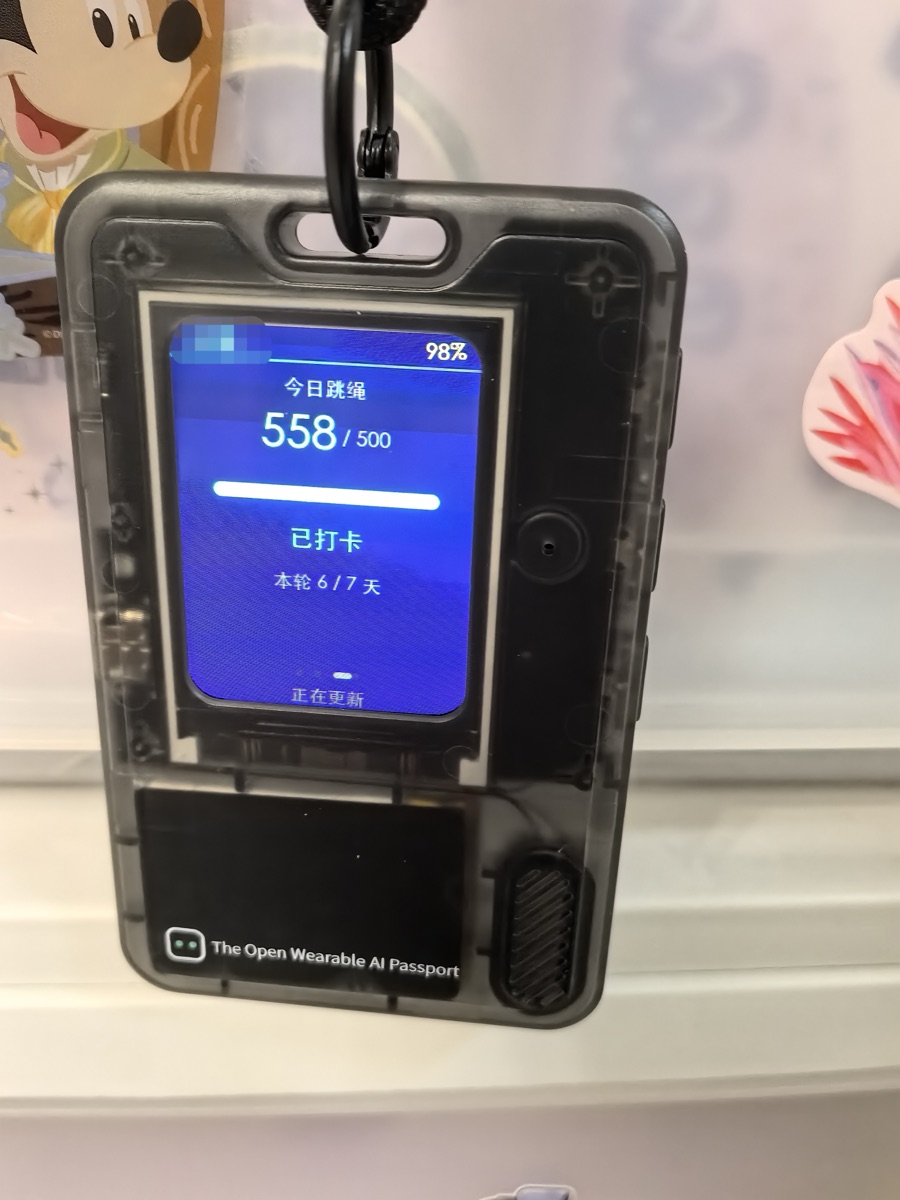
FoloToy AI Passport: I Put My Kid's Wishlist on This Open Wearable
TL;DR What the AI Passport sells isn't specs, it's the urge to build something — I turned mine into a wishlist my kid wears.
A 240 × 320 color screen, an ESP32-C3, a 500mAh cell, 50 grams, clear plastic shell, on a lanyard around your neck.
On paper, none of that is exciting in 2026.
But it has something most devices don’t: it makes you want to build something.
FoloToy calls the AI Passport “a passport to build the world with AI agents”. I’d rather describe it as a toy you can break into. Don’t want to write code? It quietly stays your electronic ID card. Want to mess around? The whole firmware is yours to rewrite, and if you brick it, scan the QR code on the back and flash it back. Both doors are open. Neither one gets sold to you.
My own framing is simpler: it’s a toy. Strip every feature away and the thing that matters most is that it’s fun.
What It Actually Is
It’s a card.
Credit-card sized: 60 × 95 × 8.5 mm, 50 g, clear plastic shell, a 240 × 320 color screen on the front, three buttons underneath, a lanyard hole on top. On the back, a QR code, and a passive NFC tag hiding behind it.
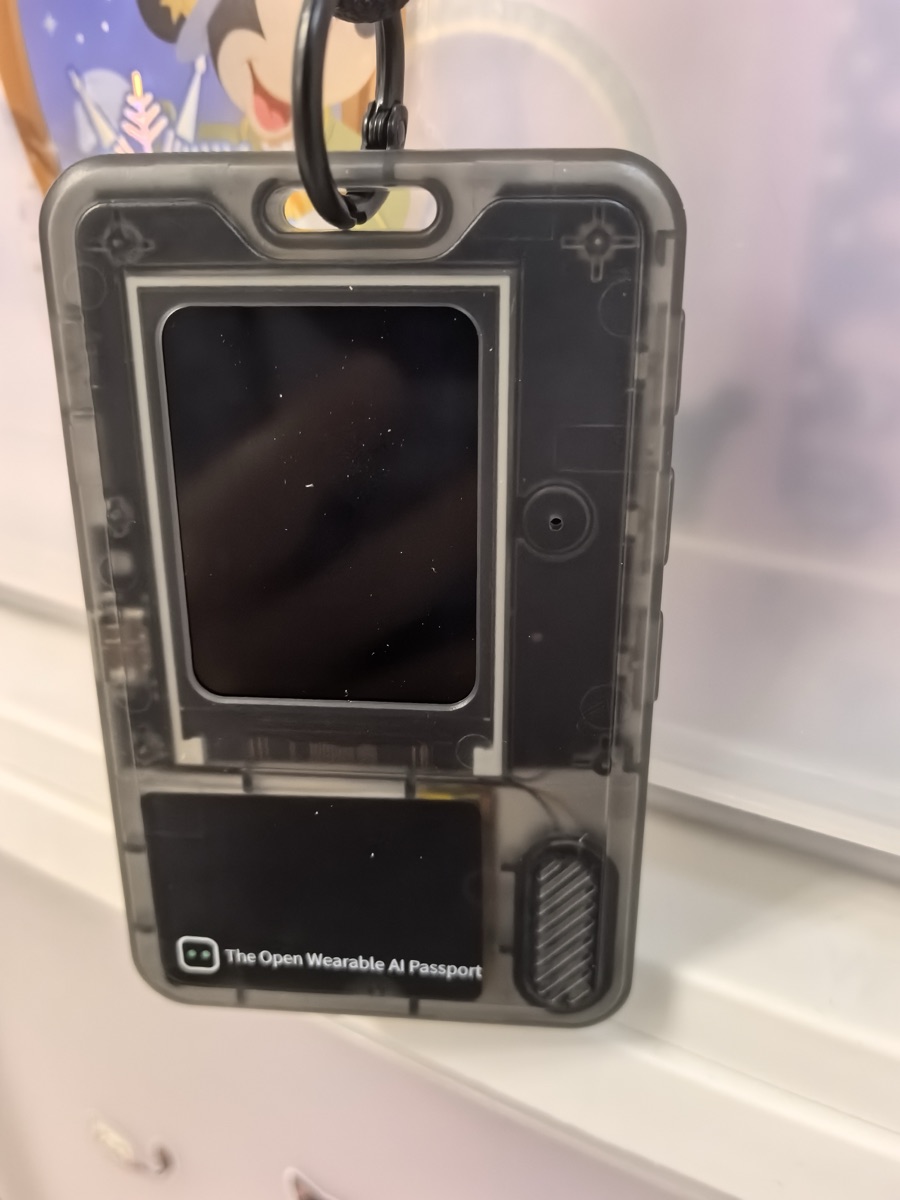
Front, screen off. You can see the board and the battery straight through the shell, and a line of small print underneath: The Open Wearable AI Passport.
| Item | Spec |
|---|---|
| MCU | ESP32-C3, 8 MB Flash |
| Display | 240 × 320 color TFT |
| Input | Up / Down / OK + a separate power key |
| Audio | Built-in mic and speaker |
| Wireless | 2.4 GHz Wi-Fi + Bluetooth 5 LE |
| NFC | Passive NTAG213 |
| Battery | 500 mAh, USB Type-C |
| Weight | 50 g |
240 × 320 is a joke by phone standards. Hang it on your chest, though, and distance makes it enough. The real limit is how much it can hold: three numbers per screen is about the ceiling, which forces you to decide, before you build anything, which number actually deserves to be seen.
The transparent shell is the smartest decision in the whole product. Board, battery, speaker, antenna, all on display. That isn’t showing off the build quality, it’s telling you plainly: all of this is yours to touch. FoloToy wrote “hackable” into the industrial design. You don’t need the manual to know this isn’t a sealed black box.
Three Ways to Use It, One Workflow
WEAR, PLAY, CREATE. That’s their split.
Wear. Install nothing. Turn it on, search “FoloToy AI Passport” in WeChat Mini Programs, push over a name, an avatar, a short intro and a full-screen image through local Bluetooth, and it becomes your AI passport. There’s even a little game baked in, so it does something out of the box.
Play. A dozen or so official plays on the site: AI pixel pet, pocket pomodoro, Tetris, book of answers, a Bad Apple player. One click in the browser flashes it onto the device. A new play overwrites the current one, but your ID-card info survives.
Create. FoloToy/ai-passport on GitHub is the full open-source development baseline, MIT licensed. Pin assignments, screen parameters, button voltage thresholds, all written down, nothing hidden.
Open hardware being open isn’t rare. What’s rare is that these three live in one workflow: you don’t have to wreck the first two to get to the third. Flash your own firmware and the ID card is still there; brick it and the QR code on the back saves you. The exit is well designed, and that matters more than the word “open”.
Bonus: it sits right in AI coding’s range
The third layer was meant for people who write embedded code. Someone too lazy to hand-type Hello World, meaning me, shouldn’t get anywhere near it.
Except it landed right in the middle of this wave of AI coding. The AGENTS.md at the repo root isn’t a contributor guide for humans. It’s a spec written for an agent: how big the screen is, how buttons are read, which capabilities are confirmed working, which boundaries you can’t cross, what the acceptance checklist has to report. Line by line.
So the workflow becomes: hand the repo to an agent, tell it to read AGENTS.md first, then say in one sentence what you want. Compiling, building, flashing, it can do all of it. That’s not the vendor being thoughtful. It’s a device that happened to grow in the right place.
What I Built: A Wishlist My Kid Can Wear
The backstory: a points system
Before this, I built a points system for my kid. Called it WishBank. Good behavior adds points, bad behavior takes them away, and the points he saves can be traded for things he wants.
Some things I turn into their own track. Jump rope, for one. He used to complain that it was too tiring and refuse to practice, so I added a rope-jumping check-in: hit the daily count and it counts, keep the streak going and you earn points. It worked better than I expected. Now when I get home from work, he’s the one dragging me downstairs to jump first.
So when this toy showed up, my first thought was to cram all of that into it.
The AI Passport fits the job. Card-sized, wearable. Wi-Fi, so it can pull data. 240 × 320 is plenty for numbers. Best of all, the firmware can be rewritten wholesale, because it isn’t a device with someone else’s idea of features baked in. You can tell it to do one thing and do that one thing forever.
What’s on the screen
Four screens, flipped with the up and down keys:
- Screen one, balance. One big number, today’s jump count under it, which day of the current streak below that.
- Screen two, the last points added and the last points taken away. Reason, value, timestamp, one on each side.
- Screen three, today’s jump progress. Current versus target, a progress bar under it, then check-in status and streak progress.
- Screen four, personal bests. Most jumps in free practice, most in a one-minute timed run.
Top bar: his name on the left, battery on the right.
That’s the whole thing. Don’t underestimate the “small” part. Precisely because it can’t hold more, I was forced to decide what he actually needs to see: the balance and today’s jumps.
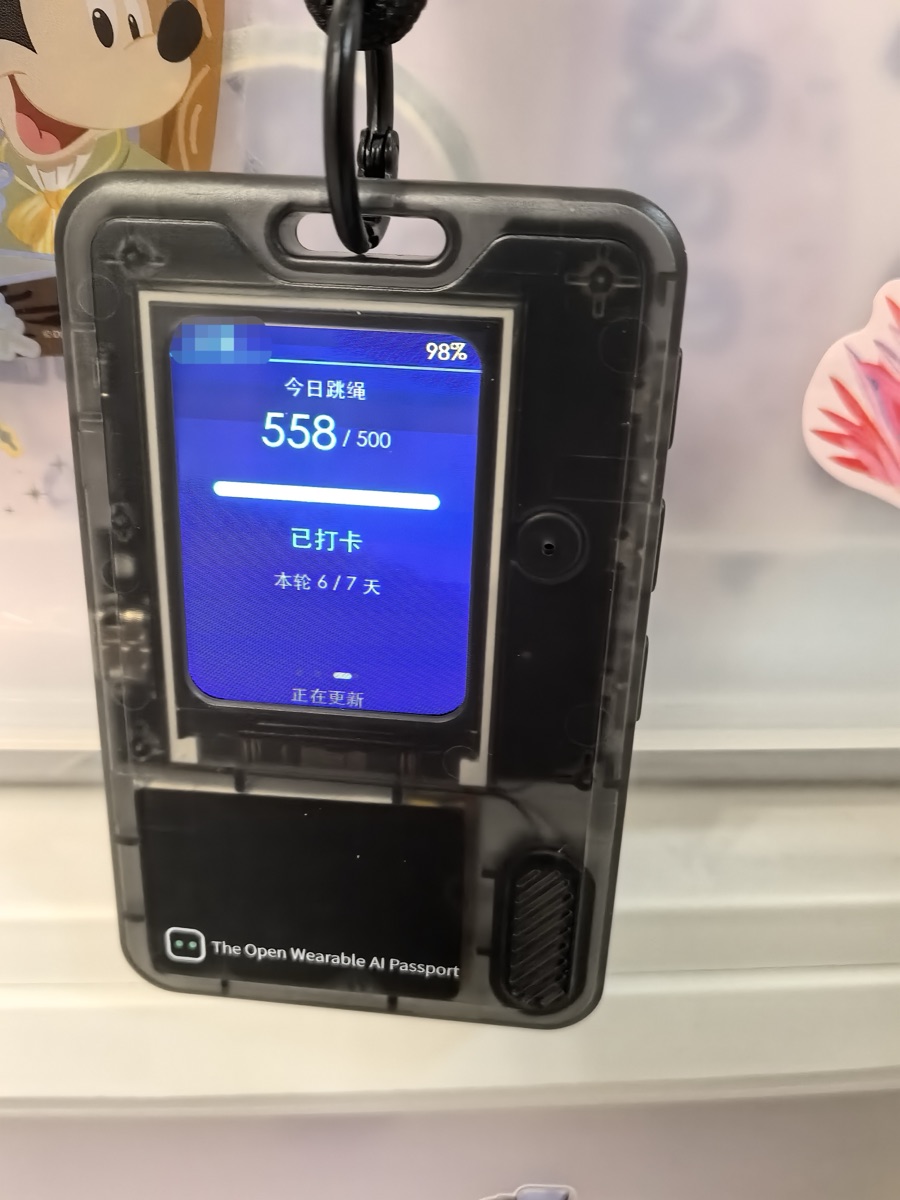
Screen three on the real device: 558 / 500 today, checked in, day 6 of 7. It pulls fresh data on its own, which is what that updating line at the bottom is.
How it gets online
The data comes from my own system’s API. The device joins Wi-Fi and pulls a read-only snapshot over HTTPS, with certificate verification and a custom token; the server checks the token and the user agent. Whatever comes back is written into on-device storage, and the next boot shows the last good data first, because even a fast connection takes ten-odd seconds and the first screen can’t be blank.
Making it behave like something that just hangs there
A few rules I gave it. Short-press OK to refresh right now. Thirty seconds untouched and it flips to the next screen, cycling through all four. Two minutes and the screen goes dark; any key wakes it, and waking it also pulls fresh data.
None of that is strictly necessary. But without it, it’s an electronic product that needs looking after. With it, it behaves like something that just hangs there: you don’t manage it, it’s simply there.
The firmware is almost entirely agent-written. I wrote the requirements, revised the requirements, plugged in the Type-C cable and tested on real hardware. Final merged image: 3.94 MB, flashed from 0x0 and it runs.
Small Things You Only Notice When Using It
The screen. Covered above: the resolution is both its weakness and its filter. Three lines of information and it starts looking bad, which forces you to cut things.
Three buttons. Up, down, OK, plus a separate hardware power key (hold 0.5s to turn on, about 2s to turn off). I know exactly how far three buttons go: paging, selecting, confirming. Anything more needs long-press and double-tap to make up for it. It wasn’t designed for rich interaction, and accepting that makes everything easier.
The NFC tag and that QR code on the back are the two most underrated parts. The NFC is a passive tag: someone taps it with a phone and reads whatever you want them to read, which makes it a natural ID card or business card. The QR code is the emergency exit. If you really flash it into a brick, scanning that code gets you a dedicated link, and Chrome or Edge plus a Type-C cable restores the factory firmware. I bricked it more than once in the first week, and that code fished me out every time.
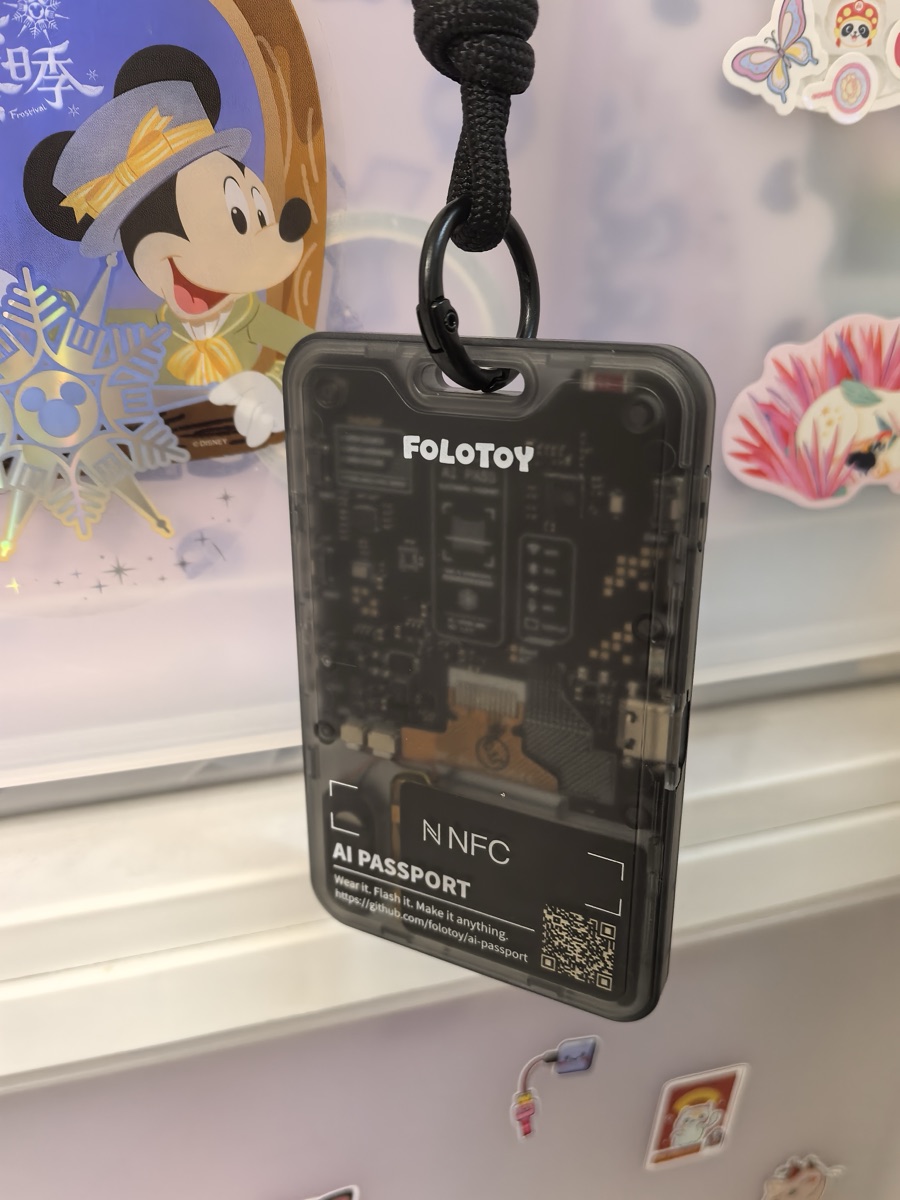
The back. The whole board is exposed, and the lower half carries the FoloToy logo, the NFC mark, and that life-saving QR code.
Before You Buy, Read This
Who it’s not for.
If you want an AI toy that chats, don’t buy it. Mic and speaker are both there, but out of the box it isn’t a voice assistant, and it isn’t “AI companionship” either. Buy it for that and you’ll be disappointed the day it arrives.
If you want ready-made fun, don’t treat it as a handheld. A dozen plays, and neither the polish nor the depth will hold you for long. A used handheld plays more games than this thing.
If you never plan to tinker, you’re overpaying. You’d only be buying the first layer, and most of the money went into the third.
It’s for exactly one kind of person: someone who just wants a thing to tinker with. Vibe coding on a screen stopped being enough, and you want a little device you can customize however you like.
How to Start
- Go to
ai-passport.folotoy.cnand look at the play library first, to see whether anything you want already exists. - When it arrives, resist the firmware for a minute. Set up the ID card through the WeChat Mini Program, walk through layer one, get a feel for the three keys.
- To build your own, open
FoloToy/ai-passporton GitHub, branch afeature/*offmainas the README says, hand the whole repo to an agent, and make its first instruction “readAGENTS.md“. The second sentence is what you want. - Before you flash anything, remember where that QR code is.
One Last Thing
Most so-called AI hardware doesn’t suffer from being not-smart-enough. It suffers from having nowhere to land.
The AI Passport’s answer is plain: lay the hardware open, write the interfaces into docs, and let you and an AI go break it together. What you put on that 240 × 320 screen is up to you.
I put my kid’s wishlist on it. He used to have to wait for me to hand over my phone to see how many points he’d saved. Now the screen is hanging right there, and even that nudge is gone.
What’s the number sitting in your phone that deserves to be hung up?
 微信





Expanding choices through code
 Friend-link relay